How I'm integrating AI into my workflow for business acceleration
 Thanks, nano banana
How I’m integrating AI into my workflow for business acceleration
Approx. 9 min read
TL;DR: I shifted from browser-based AI to granting an agent (Claude Code CLI) access to my filesystem, terminal, and project context. That change — not IDE autocomplete — let me operationalize AI across the business: meeting intelligence that safely updates notes/CRM, faster strategic messaging and campaign execution, and requirements-to-implementation workflows. It only works because I wrapped AI in structure (validation, gates, context discipline) and, with LightForge Works starting from zero, designed AI‑native processes instead of retrofitting legacy ones. Think more waterfall than agile, keep context tight, and the speed gains are real.
Where I Left Off
In my previous posts about vibe coding and multi-agent development, I ended up focused on the AutoGen framework and GitHub-as-messaging-bus ideas. Then I sort of… stopped writing about the process for a few months.
Not because I stopped working. For me, everything changed in April when I started using Claude Code CLI with file system access, and I’ve been deep in the weeds figuring out what actually works.
I’d been using ChatGPT and Claude in browsers since 2023 - mostly for writing assistance and research. But Claude Code CLI with file system access was a completely different beast. Suddenly AI could read my entire project structure, modify files directly, run commands, and maintain context across my whole workspace.
To be clear: developers have used AI code completion in IDEs like VS Code for years. As a business operator, I wasn’t living in an editor — the leap for me wasn’t autocomplete; it was granting an agent filesystem access, the terminal, and my full project context.
The last 4-5 months have been this rapid evolution - first figuring out basic development workflows, then MCP integrations started rolling out, and now I’ve got this integrated system where AI manages most of my operational workflows. But it’s only been through using formal development processes (TDD, hooks, quality gates) that any of this has become reliable enough to trust with real business operations.
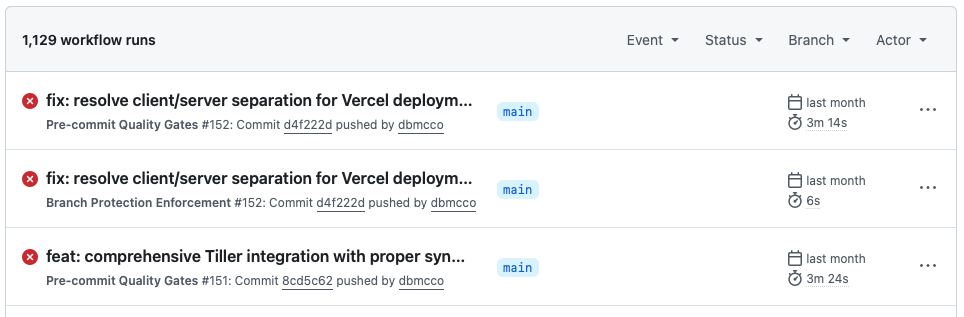 A lot of messy automation
The thing is, what I ended up building isn’t really about coding anymore. It’s become this integrated workflow where AI manages most of my operational stuff - meeting notes turn into CRM updates, competitive research becomes marketing campaigns, requirements conversations become actual applications. But it took months of debugging and process development to make it work consistently.
The Clean Slate Advantage
This is the first time I’ve mentioned LightForge Works here, so a quick intro: LightForge Works (LFW) is our new company focused on building AI‑native workflows and products. We’re about 60 days in with a team of four. We build Single Purpose Applications (SPAs) with an integration‑first approach using a 30/60/90 framework (30 days discovery, 60 days delivery, ~90 days to ROI).
One thing that’s probably important to mention: our new company, LightForge Works, is starting from zero. No legacy systems, no existing technical debt, no “that’s how we’ve always done it” constraints.
This is a massive advantage that I don’t think most established organizations appreciate. When you’re building AI workflows from scratch, you can design everything around what actually works with AI rather than trying to retrofit AI onto existing broken processes.
Most companies are trying to layer AI on top of systems that were built 10+ years ago, with processes that were optimized for human workflows, not AI workflows. We get to build everything AI-native from day one.
The Stuff That’s Actually Working (After 4 Months of Trial and Error)
Meeting Intelligence Pipeline (That Doesn’t Corrupt My CRM, tasks or Obsidian notes)
Every meeting I have flows through this process now:
- Recording gets transcribed
- AI analyzes it with context from my entire Obsidian vault (previous meetings, competitive intel, project status)
- Generates structured notes, action items, and CRM updates
- Everything gets validated and conflict-checked before updating systems
This sounds simple but took a while to get right. Early versions would miss context, generate vague action items, or overwrite existing CRM data. I had to build tons of validation logic and error handling.
The key insight: AI needs way more structure and babysitting than you’d expect. But when you get it right, it’s incredibly powerful because it has access to all your historical context.
Strategic Messaging for LightForge Works
For our startup (we’re only 60 days old with 4 employees), I can iterate on positioning and messaging incredibly fast now. Feed AI all our competitive research, customer conversations, and strategic thinking from Obsidian. It generates positioning angles, tests messaging variations, creates full HTML email campaigns with dynamic fields.
What used to take weeks with agencies now takes hours. But only because Claude has access to all our accumulated strategic thinking. Without that context, it just generates generic marketing fluff.
The workflow: Competitive intel → Strategic framework → Messaging variations → Campaign creation → SendGrid execution → Attio tracking. All automated but with validation at each step.
This speed is crucial for a new company - we can test market positioning, iterate on messaging, and launch campaigns faster than competitors who are still doing this manually or fighting with legacy marketing systems.
Requirements Development as Business Strategy
Building MCP connectors and micro-apps isn’t really technical work anymore - it’s strategic capability development. When I need a new integration (meeting transcripts ↔ project management, competitive intel ↔ sales workflows), I’m having strategic conversations with AI about what business processes need optimization.
The AI understands our business model, competitive situation, and operational constraints. So technical decisions become strategic decisions. But this only works because I’ve fed it business context through Obsidian.
The Technical Stuff That Makes Business AI Reliable
TDD Saves Your Ass (When AI Breaks Things)
Test-driven development isn’t just good practice - it’s essential when AI is managing business-critical workflows.
AI will confidently generate code that looks right but fails in edge cases. Or worse, it’ll work fine in testing but break when it hits real customer data.
def test_crm_contact_enrichment():
    meeting_data = load_test_transcript()
    contacts = extract_contacts_with_ai(meeting_data)
    assert len(contacts) > 0  # AI sometimes returns empty results
    assert contacts[0].email is not None  # AI forgets required fields
    assert contacts[0].priority_score <= 1.0  # AI doesn't respect bounds
Before TDD discipline: “Why did my CRM get corrupted again?” After TDD discipline: AI can still mess up, but tests catch it before it matters.
Hooks and Quality Gates (Because AI Doesn’t Check Its Work)
Every AI workflow gets validated through pre-commit hooks:
- Content validation (is this email campaign actually coherent?)
- Business logic checks (does this CRM update make sense?)
- Integration testing (will this actually work with our systems?)
- Rollback capabilities (can we undo this if it goes wrong?)
This sounds like overkill until AI sends a broken email to your biggest prospect or corrupts your customer database. Then it feels essential. To be fair, it still does not always work and we have to keep a close eye on things, and not everything is totally automated, but we are getting there.
Multi-Agent Coordination (When You Keep Them Simple)
The agent approach works, but not how I originally expected. It’s not about AI collaboration - it’s about keeping each AI focused on problems it can actually solve. The Claude subagents were a big reveal on how to use them, but it requires Claude hooks to enforce behaviors you want. I have a number of different agents with different purposes, and still struggle to get them to stay in their own lane (and working directory) but again, it’s a work in progress.
Each agent has narrow, bounded responsibilities. When I try to make agents handle complex multi-step reasoning across different domains, they get confused and make bad decisions.
The Stuff That’s Still Frustrating
UI/UX Work Is Still Painful
Building interfaces through the terminal is rough. Even with screenshots and detailed mockups, getting styling and interactions right takes forever. AI understands React conceptually but struggles with the visual details that matter.
I can get backends working reliably. Frontend work still feels like fighting with a very stubborn junior developer who can’t see what they’re building.
Complex Business Rules
AI is great at following patterns and templates. When business logic gets complex - multiple edge cases, conflicting requirements, nuanced decision trees - AI starts making confidently wrong choices.
I’ve learned to keep business rules as simple as possible and validate everything twice. Sometimes three times.
Deployment and DevOps Beyond GitHub → Vercel
The only deployment model I trust is GitHub → Vercel. It works consistently. Our team has more sophisticated AWS deployment processes, but that’s beyond my current capabilities. (I’m still figuring out basic networking concepts, honestly.)
Process Insights That Actually Matter
Structure First, Automation Second
Biggest mistake early on: trying to automate messy processes. AI just makes messy processes messier, faster.
I had to clean up my note-taking systems, standardize CRM workflows, and document decision-making processes before AI could help optimize them. AI amplifies whatever processes you already have - good or bad.
Starting from zero with LightForge Works was actually an advantage here - we are designing processes that work well with AI from the beginning instead of trying to retrofit AI onto broken human processes. And not just processes. For example, AI struggles in UX with modal pop ups and which page to refresh, and when. So, while modal pop ups are a normal UX design pattern, we are avoiding those and only opening full pages.
Context Management Is Critical (And Hard)
The more business context you give AI, the better it performs - until suddenly it doesn’t. Too much context and AI starts focusing on irrelevant details or contradicting earlier decisions.
I’m constantly tuning what context to include, how to structure information, and when to start fresh sessions. Context poisoning is real - if AI gets stuck in a troubleshooting loop, everything in that context becomes equally important to the actual work.
Waterfall Actually Works Better (Counterintuitively)
This goes against modern development practices, but with AI, a more waterfall approach seems to work better. Requirements → Architecture → Implementation → Testing → Deployment.
AI handles ambiguity and changing requirements poorly. Better to spend time getting requirements right upfront than trying to iterate through uncertainty. (Though I’m wondering if this will change as models get better at reasoning.)
The Honest Assessment
Five months in since starting with Claude Code CLI, I can build functional software and manage complex business workflows with AI assistance. Not elegant software. Not perfectly optimized workflows. But stuff that solves real problems and doesn’t fall apart under normal usage.
The key insight: AI is incredibly powerful when you build enough structure around it. Without that structure, it’s just expensive autocomplete that occasionally breaks your stuff.
For LightForge Works, this means I can iterate on competitive positioning, generate marketing materials, and build workflow automation in hours instead of weeks. This speed advantage is crucial for a 60-day-old startup with 4 people - we can move faster than competitors who are still doing this stuff manually or fighting with legacy systems.
The clean slate advantage is real. Established organizations have to work around existing technical debt, legacy processes, and “the way we’ve always done things.” We get to design everything around what actually works with AI.
 Still not that good looking
I don’t know if this approach scales to larger teams or more complex systems. I don’t know if I’m building technical debt that’ll bite me later. But I do know that having AI as a strategic thought partner with access to years of business context is genuinely transformative.
The real competitive advantage isn’t the AI tools themselves - it’s the integrated system that makes strategic thinking faster and immediately actionable. Competitors can copy individual tools, but they can’t replicate years of accumulated business intelligence and workflow optimization.
And honestly, most of this acceleration has happened in just the last 3-4 months as MCP capabilities rolled out and my understanding of how to structure AI workflows improved. The rate of change is pretty disorienting.
This post was written with Claude Code handling some of the structural editing while I focused on getting the actual experiences and insights right.