I think I am AI-engineering
 Thanks, nano banana
I think I’m AI-engineering
Where I Left Off (And What I Skipped Over)
In my previous posts about vibe coding and multi-agent development, I ended up focused on the AutoGen framework and GitHub-as-messaging-bus ideas. Then I sort of… stopped writing about the process for a few months.
Not because I stopped working. Because I was deep in the weeds figuring out what actually works and moving from haphazard “vibe coding” to something much more rigorous (even if it’s not as rigorous as it needs to be yet). Something much more akin to AI supported engineering. I figured out GitHub actions and workflows, then moved on.
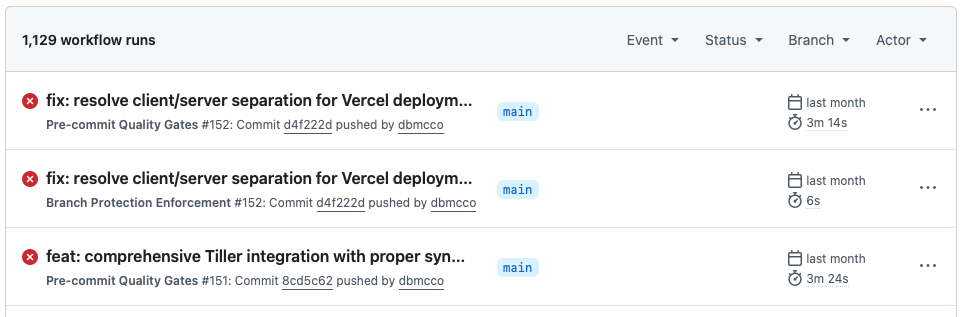 A lot of messy GH actions
BTW - next post is my config at the moment.
The Reality Gap in vibe coding
With “vibe coding” as a phrase raging (and I really hope is retired soon), people still wrongly believe that you can enter a prompt in a chatbot and an app will pop out, ready to go. Or that you can just stitch together a “bunch of agents” and tell them some vague idea - essentially abdicating your thinking to the agents - and they’ll read your mind and build the app of your dreams.
This is silly.
What I’ve learned (am learning): AI is a powerful development accelerator. But only when you do the hard work of thinking through what you want to build and putting control structures and processes in place. The agents aren’t magic. They’re really good at executing well-defined tasks. They’re terrible at reading your mind or making strategic decisions for you.
The real breakthrough isn’t the AI doing your thinking. It’s the AI doing the tedious implementation work while you focus on architecture, requirements, and business logic.
The Stuff That Mostly Works
Test-Driven Development (TDD) Saves My A**
I mentioned in my earlier post how some smart developer people I know introduced me to TDD. I cannot overstate how much this changed everything.
Before TDD: “Claude, make this work.” Three hours later “Why is everything broken?”
After TDD: Write the test first. Make it fail. Then implement. If it passes, I know it works. If it fails, Claude can fix it.
The agents love TDD too. Give Claude a failing test and it will methodically work toward making it pass. No more endless troubleshooting loops.
# This simple pattern has saved me (eh hem) hundreds of hours
def test_user_authentication():
    user = create_test_user()
    result = authenticate_user(user.email, user.password)
    assert result.is_authenticated == True
Write test. Run test. Watch it fail. Implement. Run test. Watch it pass. Move on.
Hooks and Pre-commit Hooks Are Non-Negotiable
My flow now requires that nothing gets committed unless it passes (and even in between commits):
- Linting (flake8, ESLint)
- Type checking (mypy, TypeScript strict mode; Claude spits out tons of Typescript errors)
- Tests (pytest, jest)
- Code formatting (black, prettier)
This sounds like overkill, but it prevents the agents from going off the rails. Before hooks, Claude would write code that “looked right” but was actually garbage. Now if it doesn’t pass the gates, it doesn’t get saved.
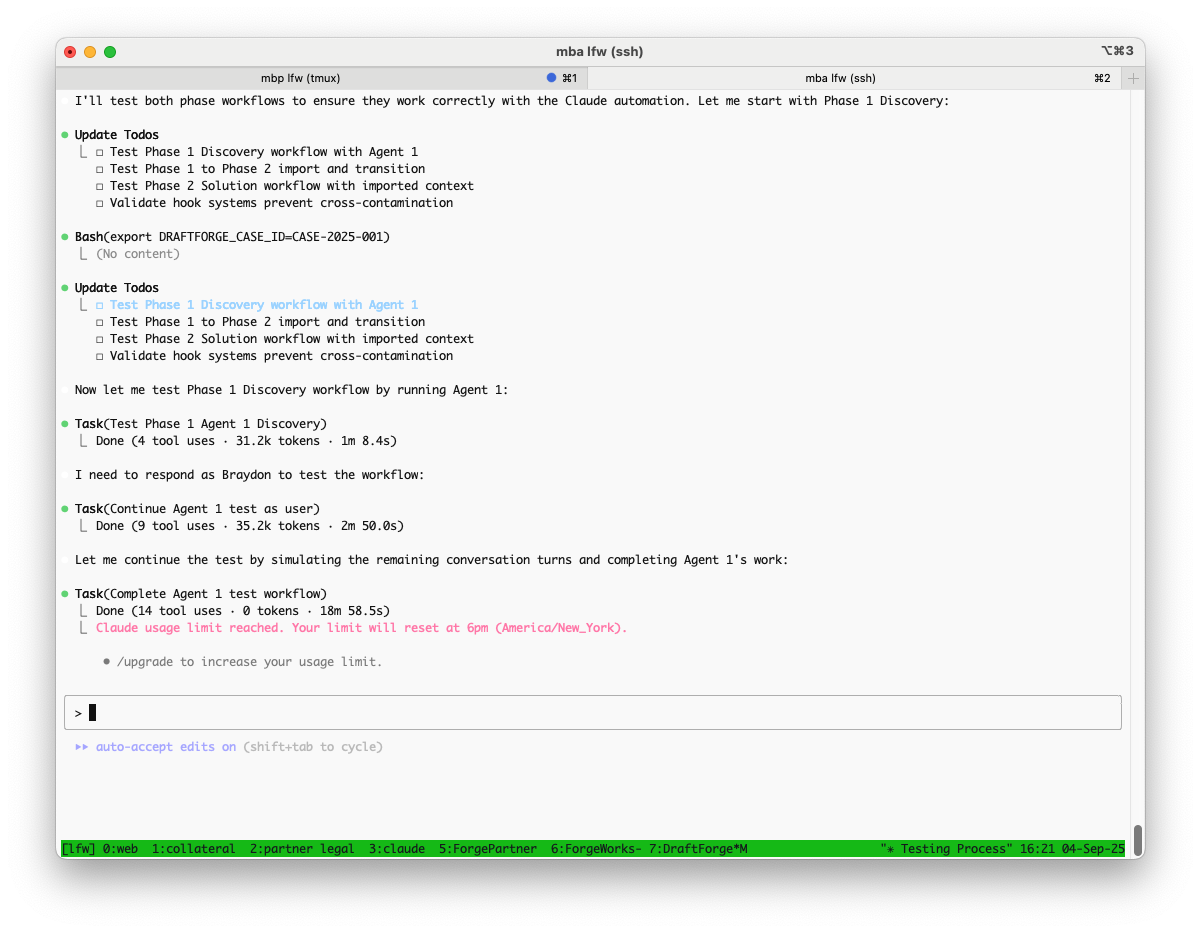 It’s a little hard to tell here, but Claude is running hooks before and after each tool call in a multi-agent sequence Gives much needed controls over what the orchestrating agent is doing. Bonus - tmux over ssh setup!
The agents understand these constraints and work within them. It’s like guardrails for AI development.
I was doing these in GitHub while using the Claude GitHub Actions, but have since starting adding hooks into the settings.json /hooks within Claude Code cli, which I find is faster (and uses my Max account rather than the API, so it’s “cheaper”). The only downside is that I don’t see under the covers as easily as when monitoring GH actions and issue work, and if I get tired or lazy, things can get fouled up.
Multi-Agent Coordination (When Done Right)
The key insight from months of experimentation: agents need clear, bounded responsibilities. This is harder done than said.
What doesn’t work:
- “Claude, build me an e-commerce site”
- Agents that try to do everything
- Complex inter-agent communication protocols (early I was doing it manually, which was fun, but tedious, time consuming and ultimately didn’t control things well)
What does work (or is at least getting better and hooks and /agents help a ton):
- PM Agent: Requirements, coordination, status tracking only
- Backend Agent: API endpoints, data models, business logic only
- Frontend Agent: UI components, user interactions only
- Testing Agent: Test coverage, quality validation only
These are example agents for a standard project, but I am finding increasing value in project specific agent prompts - particularly with structured sequences and shared, formatted outputs. dB integration is likely next
Each agent has a narrow focus and clear handoff points. No overlap, no confusion about who does what. I try to get them to write status to a central tracking (json) but I am not consistent with this yet.
The Stuff That Doesn’t Work Well (Yet)
UI/UX Development Is Still rough.
I can get backends working reliably. APIs, databases, business logic - the agents handle this well because it’s deterministic.
But UI work? Still a nightmare. Building UX in the terminal is tough - even if you add screenshots for interpretation. The agents can write React components, but getting the styling right, making interactions feel smooth, handling responsive design - it requires too much back-and-forth iteration. It took me two hours to get Claude to write a Gartner Magic Quadrant. Then I did a mock up in PPT and it got it, once I told it to dumb down and use HTML and CSS (huh?).
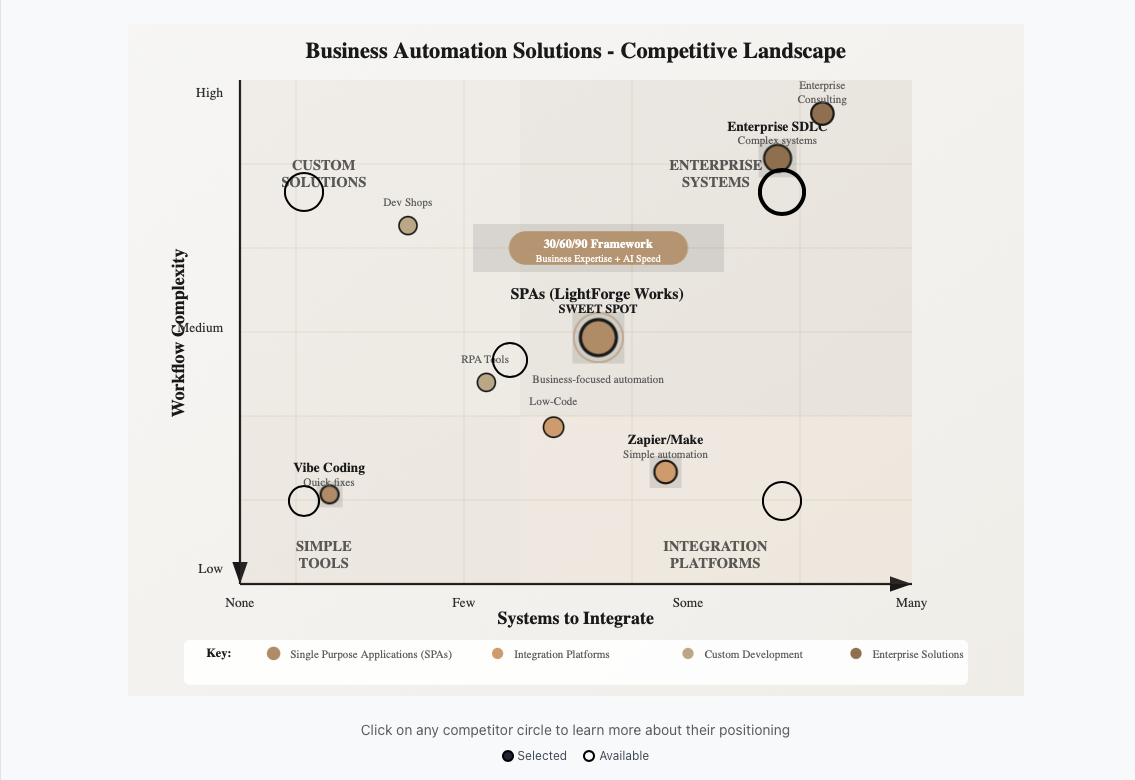 Ugly and not at all what I specified
v0 is much better, but introduces other challenges. For example, when you have your mockup most of the way there, you download the code and then have to refactor for your API layer. Annoying. We’ve been experimenting with using agents to reverse engineer the UX code into functional and technical requirements, which is kind interesting, but also super annoying.
Complex State Management
Complex React state patterns - the agents understand them conceptually but struggle with implementation details. They’ll create stores that work in isolation but break when integrated.
I’ve learned to keep state management as simple as possible. Local component state where feasible, simple context for global state, avoid complex patterns until absolutely necessary. I am starting to look at using dB for state management
It seems there is a way to do this, maybe with the OTS code, but that is currently beyond my capabilities. Not my strength….yet.
Deployment and DevOps
The only consistent deployment model I have at the moment is GitHub -> Vercel. That is rock solid. Our team has a robust AWS deployment model, but also beyond my capabilities.
![[verceldeploy 3.png]] Works well, but does it scale? No idea.
Process Insights That Surprised Me
Waterfall Works Better Than Agile
This goes against most modern development practices, but with AI agents, a more waterfall-like approach seems to work better.
Requirements → Architecture → Implementation → Testing → Deployment
The agents need clear, complete requirements upfront. They don’t handle ambiguity or evolving requirements well. Better to spend time getting the requirements right than trying to iterate through uncertainty.
If I am mocking something up in v0.app, I need to make sure the features are 90% of the way there before I dump it out (after asking for a clean architecture refactor). Kind of as noted above.
Context Window Management Is Critical
The deeper into a session you get, the more Claude forgets your earlier decisions. I’ve learned to:
- Keep sessions focused on single features
- Use TodoWrite extensively to track state
- Start fresh sessions for major new features
- Document decisions immediately in the project’s CLAUDE.md
There is a lot more To this, then just simply keeping an eye on what you put in your context window. There’s this notion of context poisoning in which things that show up in your context window that are irrelevant to what you want to do actually misguide the LLM such that it goes off and focuses on things that are not important. The LLM really doesn’t have a sense of what’s important. So, for example, if it gets into a troubleshooting loop, everything inside the troubleshooting loop is equally important as the actual code that it’s working on. And that just causes a mess. So it’s better to kill your context window and start over.
The down side of that is having to remember to clean up the mess of starting over often.
The Honest Take
Five months in, I can build working software with AI assistance. Not elegant software. Not efficient software. But software that solves real problems and doesn’t fall apart.
I don’t know if this approach scales to larger teams or more complex systems. I don’t know if I’m building technical debt that will bite me later.
But I do know that I can take an idea from concept to working prototype faster than I ever could before. And for someone who couldn’t code at all six months ago, that feels pretty remarkable.
The key is accepting that this is a different discipline than traditional software development. It has different constraints, different patterns, different failure modes.
Once you stop trying to make it look like human development and start optimizing for what actually works with AI agents, it becomes much more productive.
 What Gemini thought of my post. I’m not that good looking.
*This post was written with Claude Code’s assistance as part of documenting my ongoing AI development journey, but I did rewrite a ton of it manually.